
FOR ML TEAMS
Your ML setup worked fine at first. Now it's the bottleneck.
Whether you built it in-house, pieced it together from open-source tools, or outgrew your current platform, Valohai handles the compute, datasets, and pipelines so your team can focus on models. Trusted by serious ML teams since 2016.
What makes Valohai different
One platform, built for the way ML actually gets built today.
Built for computer vision scale
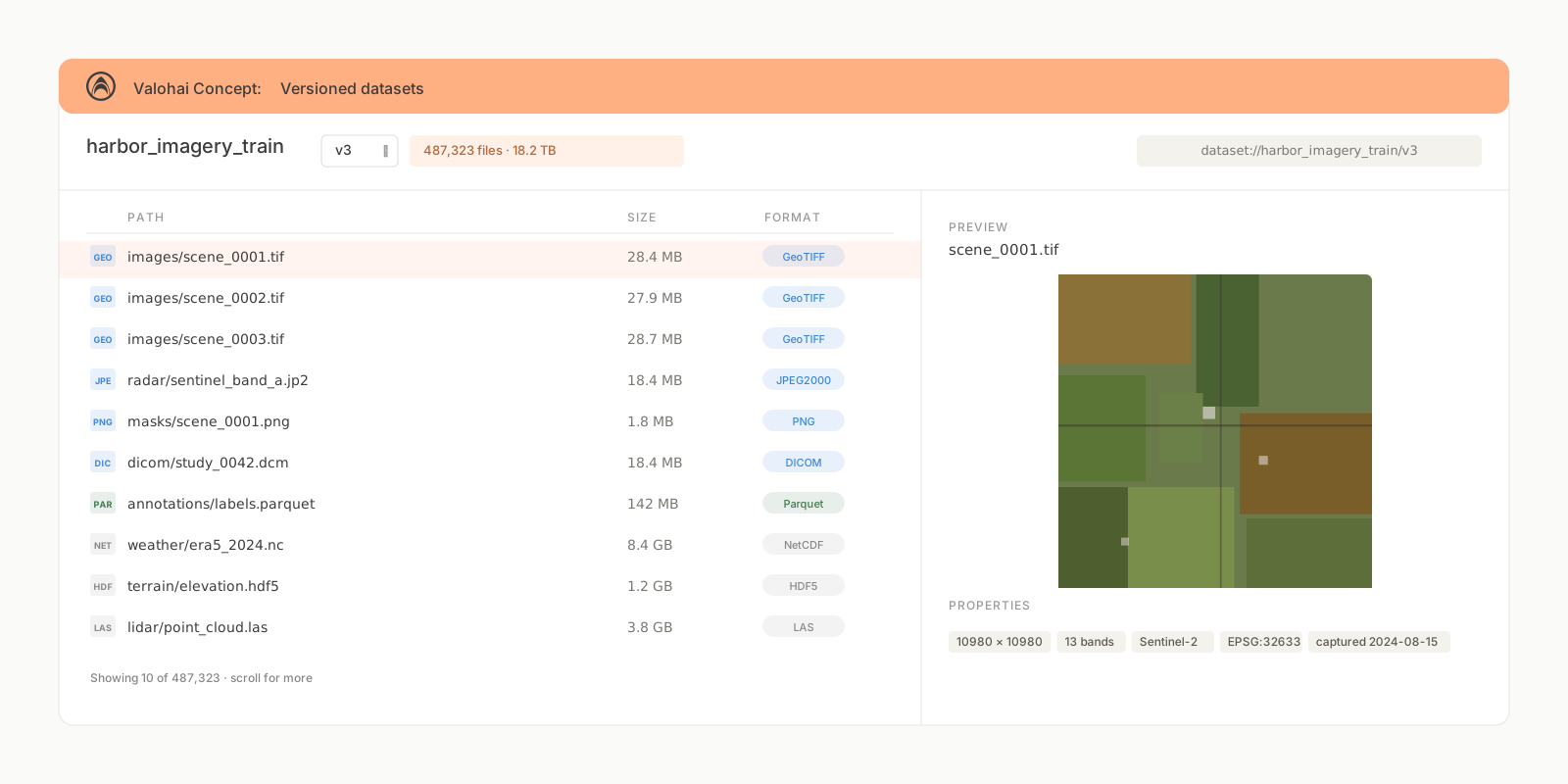
Manage terabyte-scale image and video datasets with smart caching, so you're not re-downloading the same data on every run or losing track of which dataset version trained which model.
Not just for the ML team
A year ago, training a model meant a dedicated ML engineer. Today, any software engineer with a coding assistant can build and ship one. Valohai gives every model the same versioning, infrastructure, and oversight, no matter who built it.
Built for agent-written pipelines
Our agent skills let Claude Code, Cursor, and Copilot build and migrate ML pipelines on Valohai out of the box. The pipelines your agents write run on the same platform your team already trusts.
01 · Dataset management at scale
Your training set is terabytes of satellite tiles. Every experiment starts with waiting.
When your datasets are measured in terabytes (satellite imagery, medical scans, aerial photos), every training run begins with a data transfer bottleneck. Download the same data again. Wait for it to land. Then start training.
Valohai caches datasets across experiments and environments. Download once, reuse everywhere. Your training starts when you're ready, not hours later.
Works with the formats you already use, including DICOM, GeoTIFF, HDF5, and plain images. No pipeline changes.
Cache datasets across experiments and environments
Works with DICOM, GeoTIFF, HDF5, or plain images
No duplicate transfers, no waiting
02 · Compute that fits your workflow
You need 8 A100s for three days, then nothing for a week.
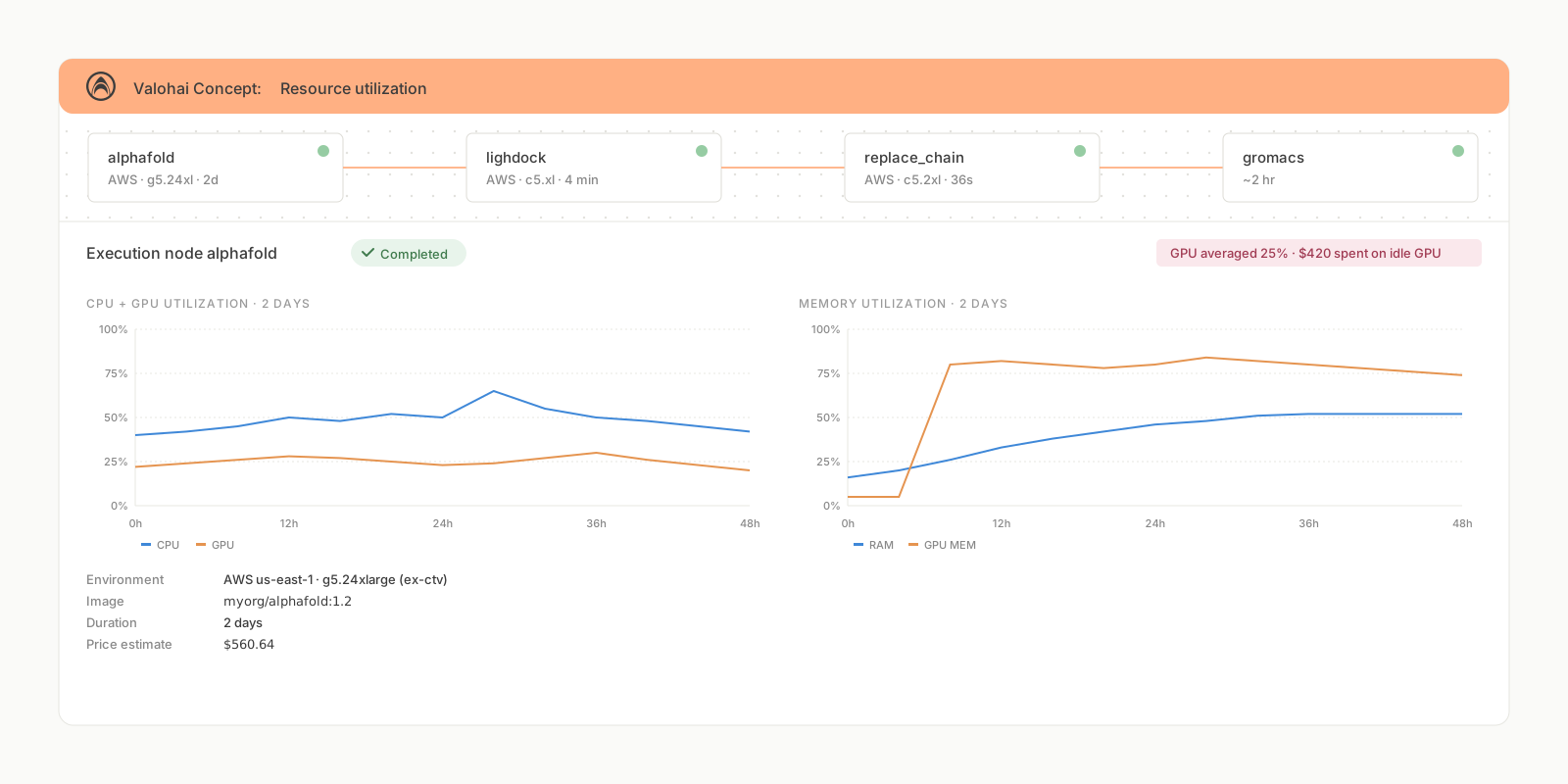
A hyperparameter sweep needs 32 GPUs for an afternoon. A long training run needs 8 GPUs for a week. Inference runs fine on T4s. Most internal platforms can't handle the burst, or you end up paying for idle machines between runs.
Valohai scales compute up and down based on what you're running, mixes GPU types across jobs, and lets you use your on-prem cluster for daily work and burst to cloud when you need more.
Autoscale compute up and down per job
Mix GPU types across jobs
Burst from on-prem to cloud when you need more
03 · Experiment iteration
You just want to run the experiment. Not figure out how to wire it all together.
You know what you want to try. A different architecture, a different augmentation strategy, a different learning rate schedule. But before you can run it, you need to configure compute, make sure the data is in the right place, check that the environment matches, and figure out how to queue the jobs without breaking something.
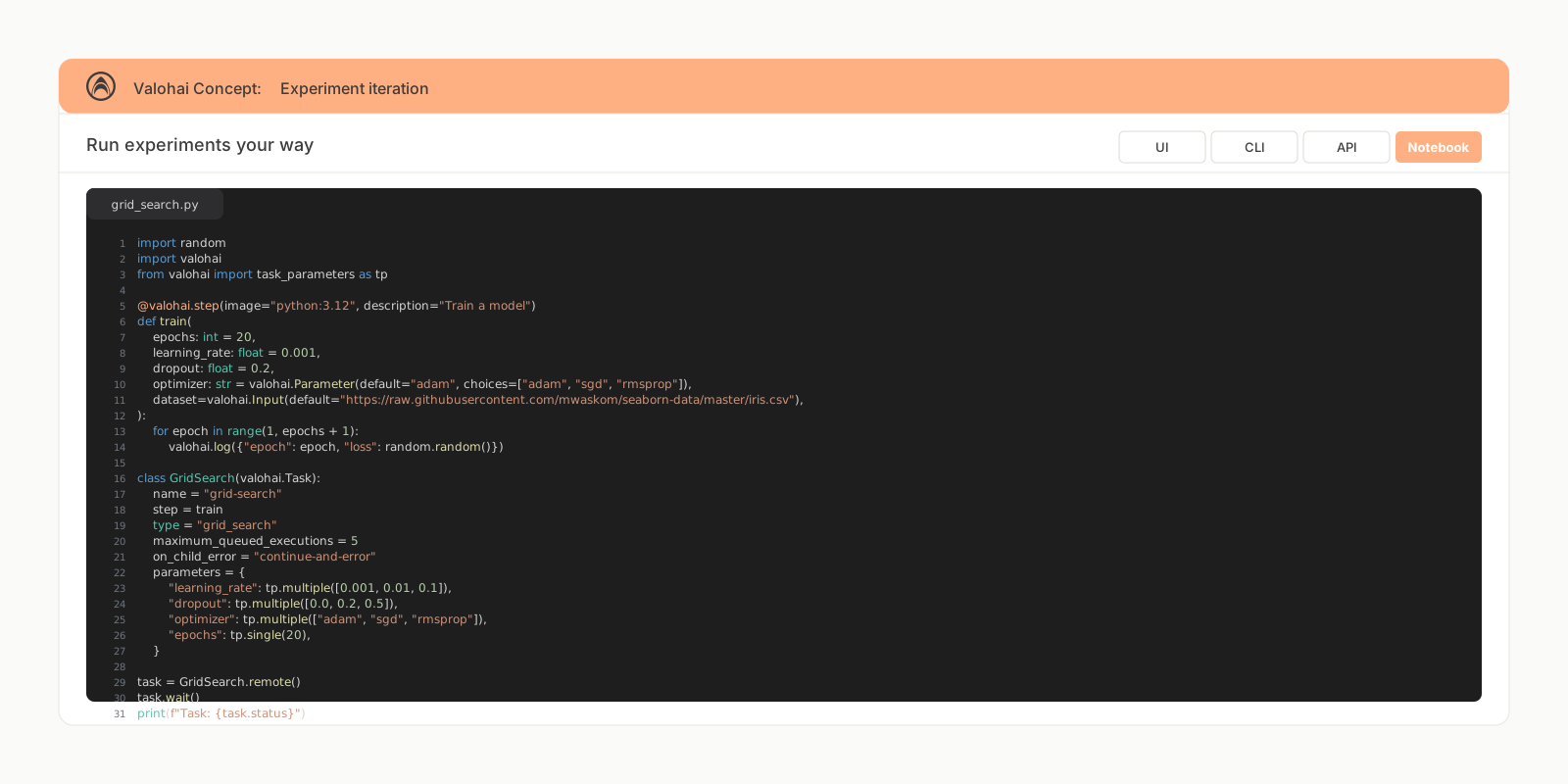
Valohai handles the plumbing: queuing, scheduling, environment setup, and resource allocation. Define your experiment in Python, submit it, and move on to the next idea. Run dozens of variations in parallel without thinking about any of it.
Define experiments in Python and submit
Run 50 variations in parallel without thinking about resources
Queuing, scheduling, and environment setup handled for you
04 · Pipelines and automation
Most pipeline tools weren't built for ML workflows.
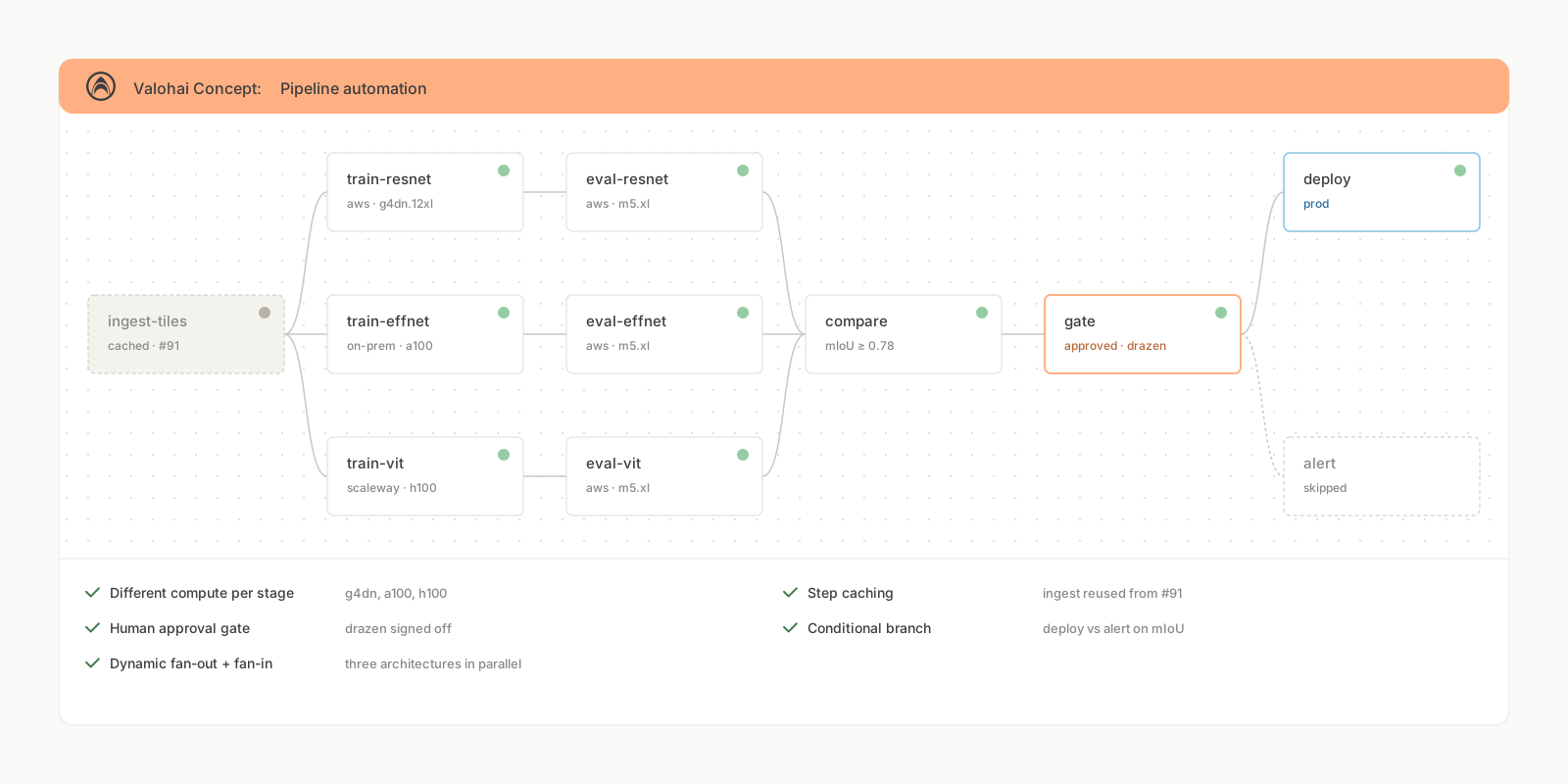
A real ML workflow isn't a single training job. It's data preprocessing, feature extraction, training, validation, and post-processing, each with different compute requirements and different failure modes. General workflow tools handle the basic shape but miss what ML pipelines actually need.
Valohai pipelines are defined in YAML rather than entangled with your code, so the same definition runs in development, CI, and production, and your coding agents can build and modify them directly.
Different compute types per stage, on your infrastructure
Step caching, rerun only what changed
Human approval gates between stages
Conditional branches based on metrics or outputs
Dynamic fan-in and fan-out at runtime
Triggers on schedule, webhook, or new data
05 · Debugging and visibility
Your training job crashed at hour 47. Good luck figuring out why from a log file.
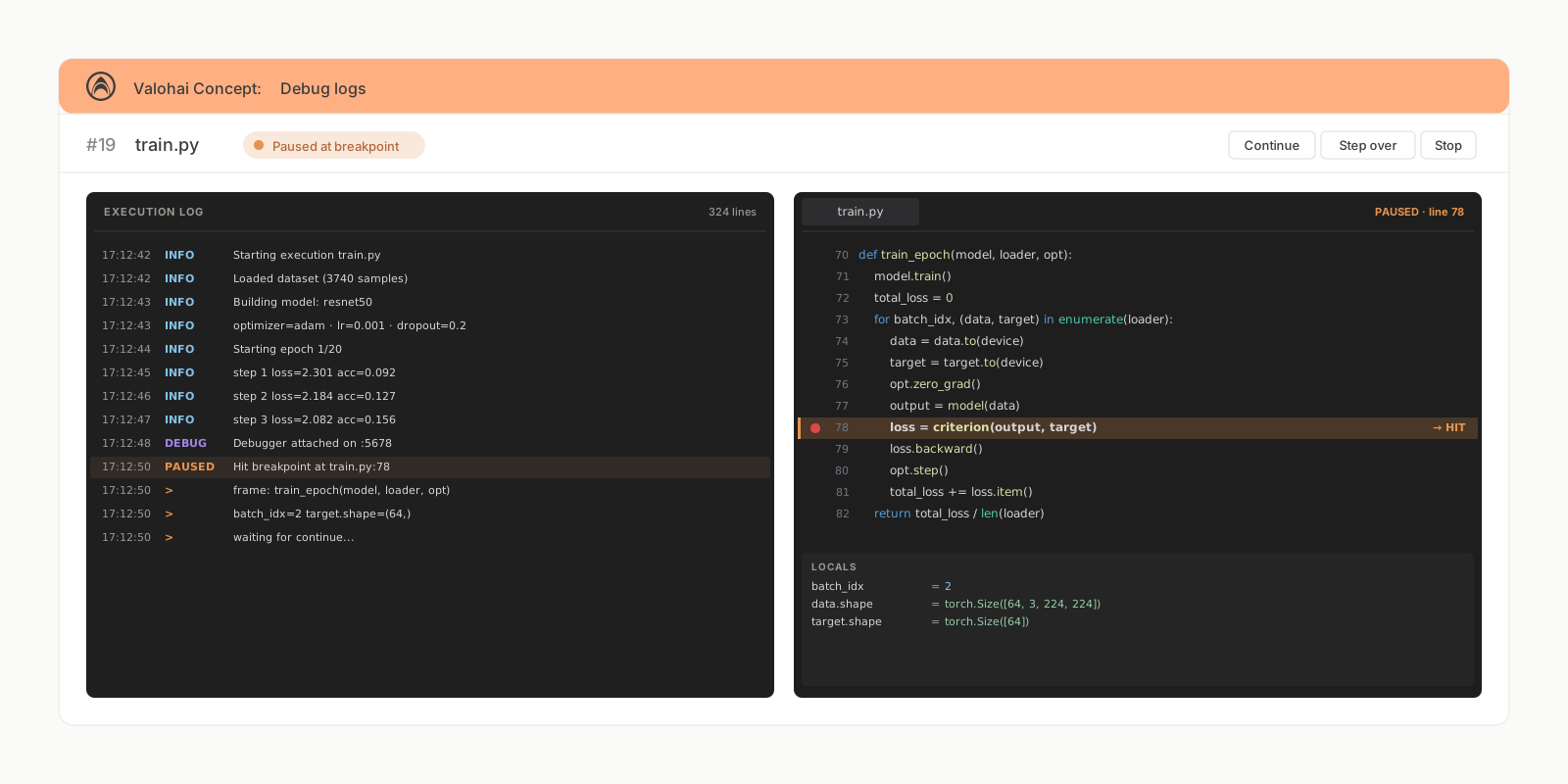
Logs help, but they're not enough on their own. When a long-running job fails, you want to inspect the live state: GPU memory, intermediate checkpoints, what the model was actually doing.
Valohai gives you SSH into running containers, IDE attach with live breakpoints, and live GPU metrics in the UI.
The same visibility helps before things go wrong. Watch how GPU memory and utilization change across stages of a long job. You'll often find you provisioned an A100 for a step that fits comfortably on an L40, or that training spends an hour on data loading where the GPU sits idle. Smaller GPUs cost less and schedule faster when the big ones are scarce.
SSH into running containers
Attach from your IDE with live breakpoints
Live GPU memory and utilization in the UI
Right-size compute based on what your jobs actually use
06 · API and extensibility
A platform you build on, not one you replace.
Every team's setup is different. Internal Kubernetes platforms, Slurm clusters, hosted ML tools, or scripts that grew into a "platform" by accident. They all hit the same wall: the basics work, but scaling, onboarding new team members, and adding automation means building more custom tooling on top.
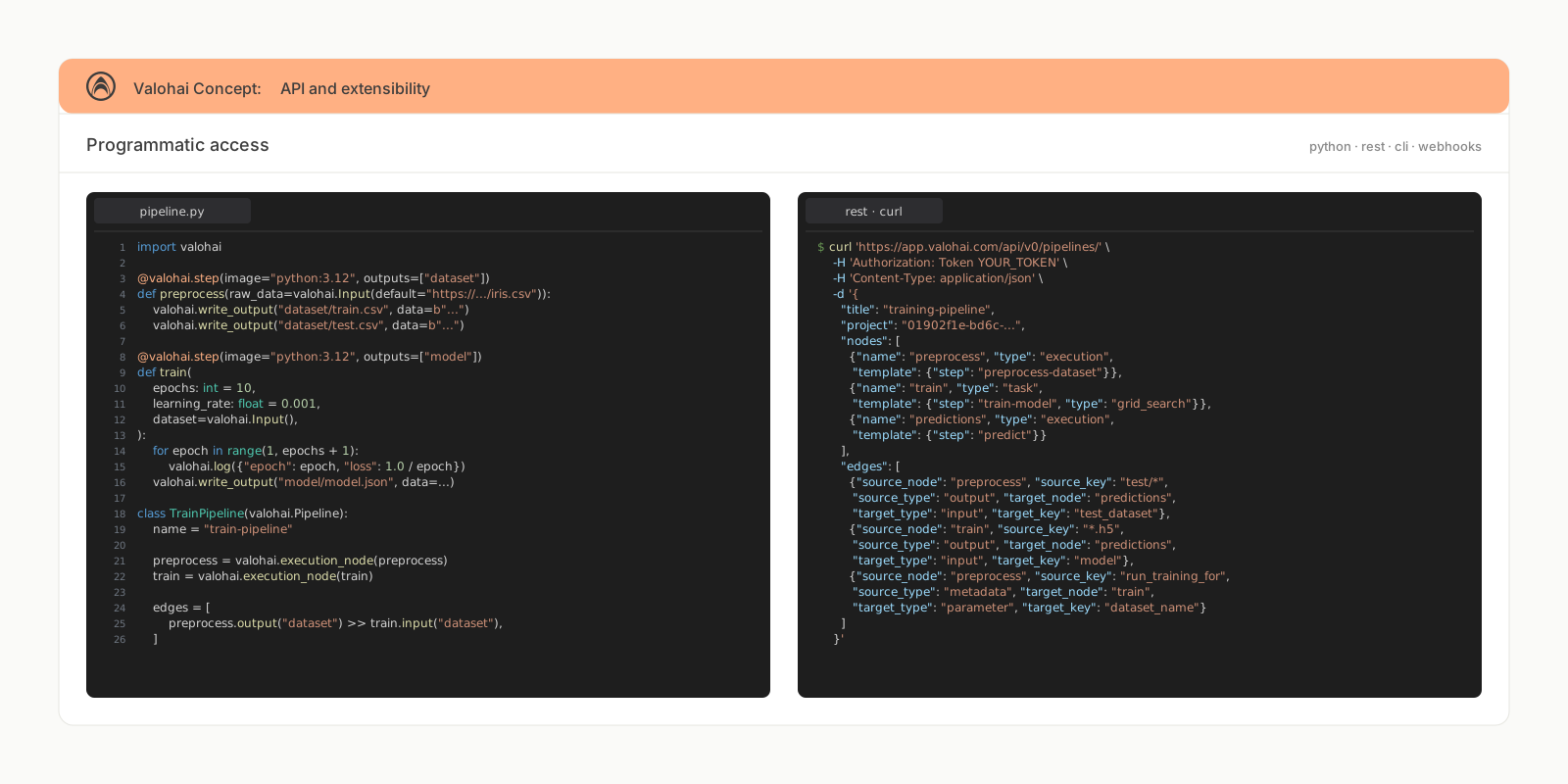
Valohai handles the fundamentals: compute orchestration, data management, scheduling, pipeline automation, and experiment tracking. Every operation is available through an API, so your team builds on a stable foundation instead of maintaining one.
Your cloud, your storage, your Docker images stay where they are. Valohai is the orchestration layer on top.
Full API coverage. Every platform operation is programmable.
Build custom integrations and workflows on top
Valohai handles compute, data, orchestration, and scheduling
Your team extends the platform instead of maintaining one
Stop maintaining infrastructure. Start shipping models.
Start a free trial or talk to an engineer about your setup.